3D True Color
The latest image rendering technology has been upgraded, making color reproduction more realistic, which is convenient for dentist-patient communication.

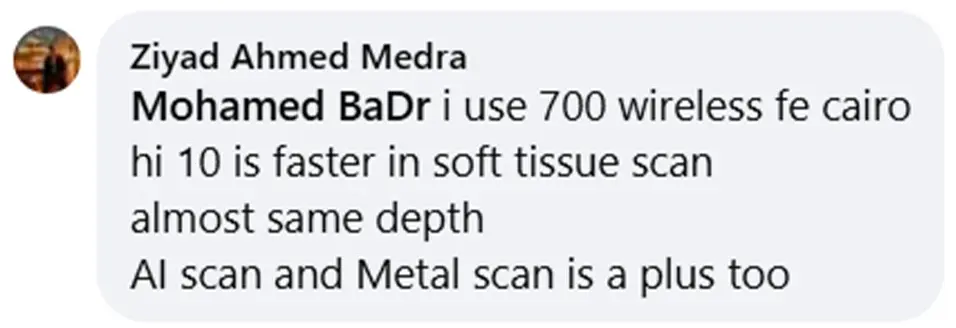
The AI function built into the software not only removes any soft tissue artifacts captured automatically but also completely ignores the tongue, cheeks and Sublingual Tissues.
Automatic Scan body replacement while scanning, saving time and helping in hard accessibility areas

Windless Anti-fog
Ensuring the scanner's vision remains clear, maintain a consistent heat at the tip while eliminating any motor noise.
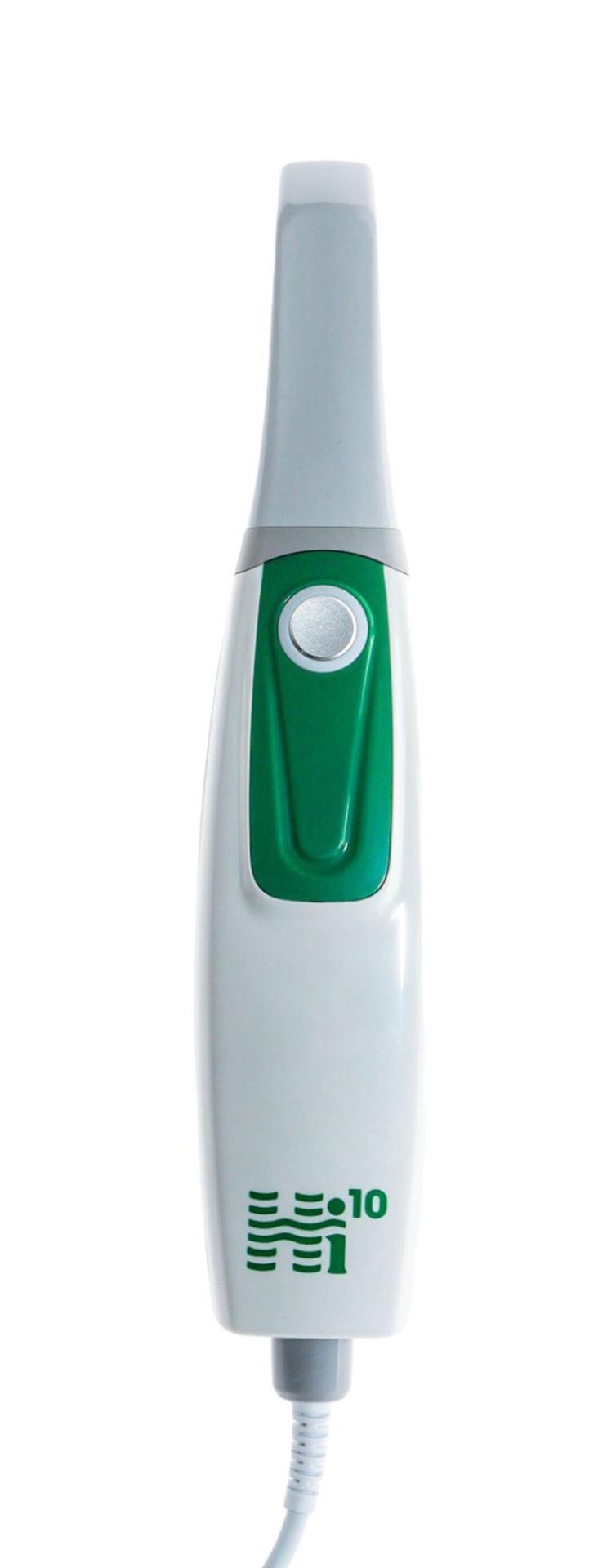

Light weight Handpiece.
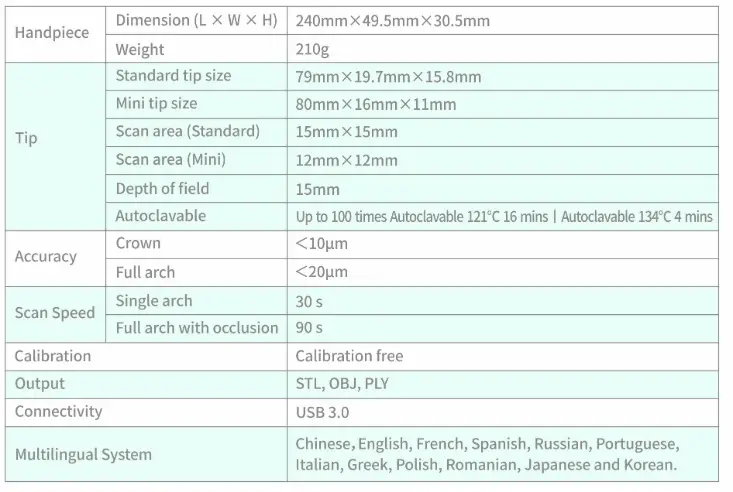
The handle features an overall streamlined design and a net weight of 240g, making it easier for doctors to operate.
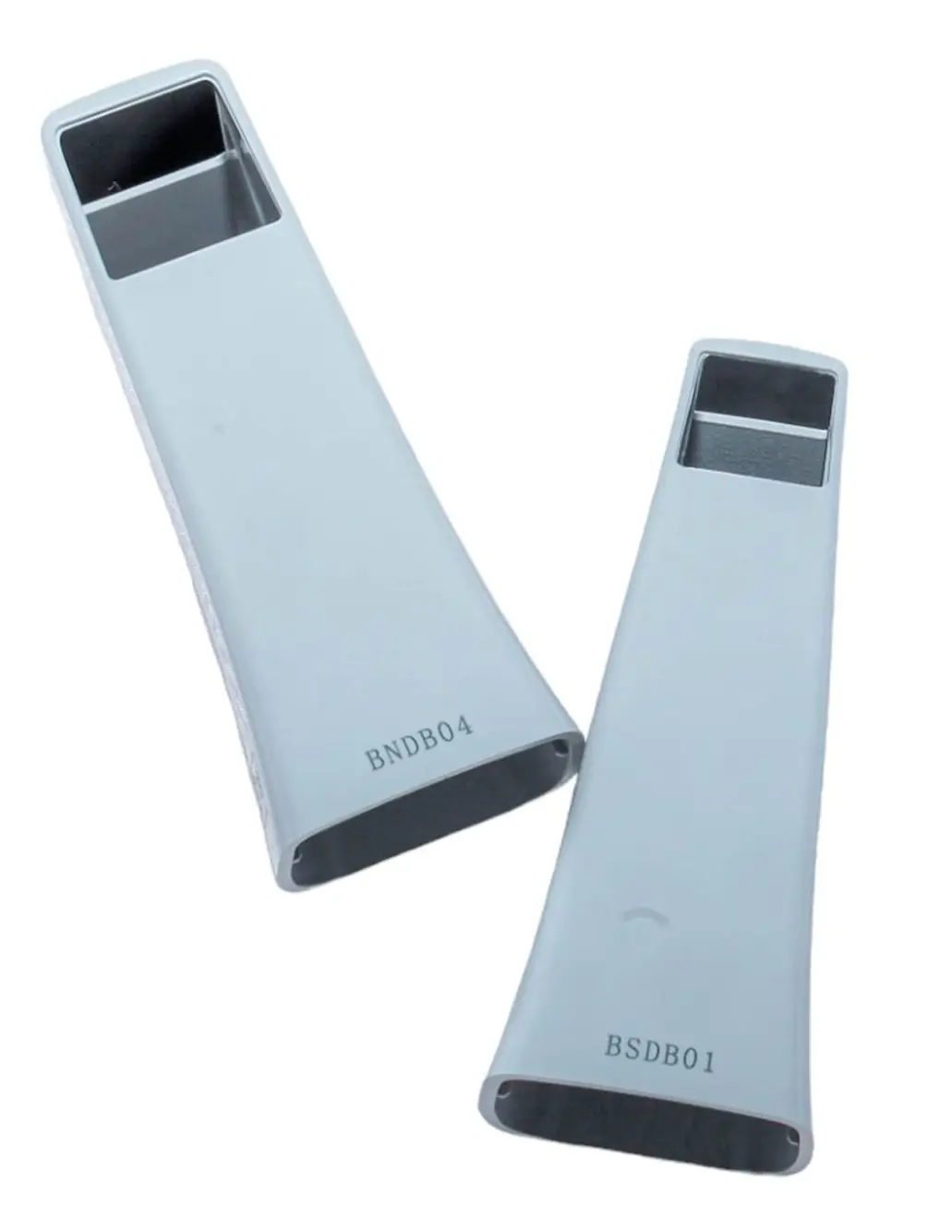
Autoclavable Tip
100 Times per Tip

Utilized for both diagnosis and patient education, provide patients with a comprehensive report detailing their oral health status.

Calibration-free
No calibration needed the scanner comes pre calibrated.
AI Oral Health Report
Designed for precise diagnosis and patient education, providing a comprehensive report on oral health status.
It highlights areas of concern, helping patients make informed decisions about their care.
The report can be printed, downloaded as a PDF, or uploaded online, with a secure link shared for patients to access their 3D scan data remotely.
This ensures transparency and convenience in dental care.
Area Lock
With Lock scan area function, dentists can select some ideal areas of the scanned data to lock, so that the data in this part of the locked area will not be changed during the rescan process.
Scan Body Matching
Automatic Scan body replacement while scanning, saving time and helping in hard accessibility areas
Model Builder
The Add Base tool can help dentists generate model files that can be directly used for printing with one click.
Margin Line Drawing
The Margin Line tool allows dentists to draw a margin line on the scan data and export it in a proprietary format. The marked margin line data can then be imported into design software, such as EXOCAD.
HD Camera
Dentists can use the camera to take oral pictures during scanning; high-resolution photos can be used as case attachments and saved in the reports.
Metal Scan
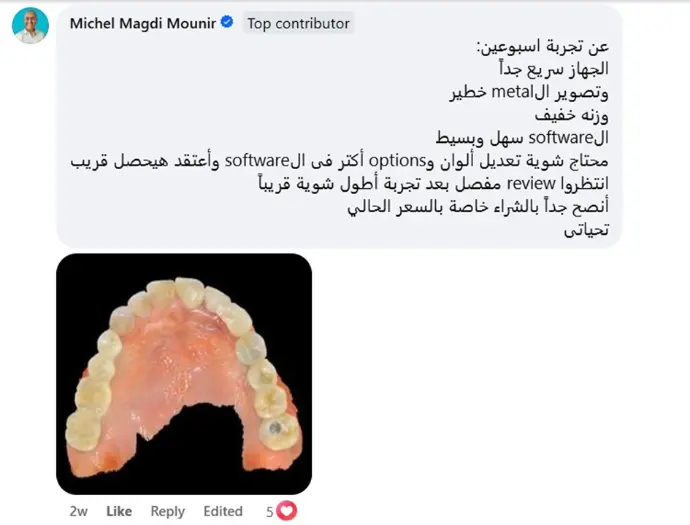
The Hi10 Scanner excels at capturing metallic surfaces with high accuracy, making it ideal for scanning implant abutments, scan bodies, frameworks, and orthodontic brackets
Undercut Inspection
It will help dentists to check whether there is undercut in the prepared tooth area, so as to prevent the crown from being unable to be processed, or there is an excessive gap between the crown and the prepared tooth.


Request a Free Demo
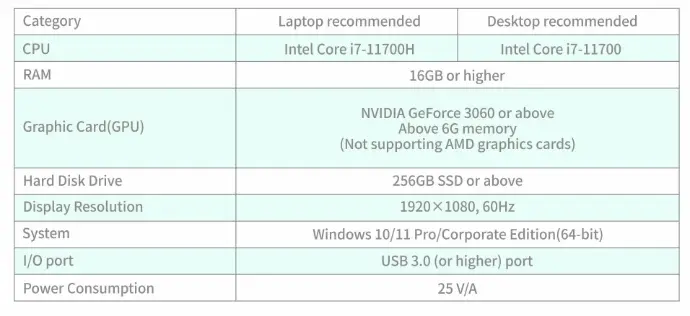
Recommended System Configuration
Specifications
FAQS :
The scanning time depends on several factors, including operator skill, the number of prepared teeth, and patient cooperation. Giving a fixed number would be misleading, but under normal conditions, a full arch scan typically takes 1–2 minutes in experienced hands. The learning curve is quite fast, so don’t worry—even beginners can improve quickly with practice.
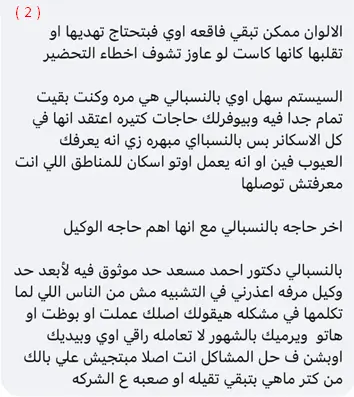
Fully edentulous scans can be challenging for any scanner due to limitations in capturing data like border molding and soft tissue compressibility—features best recorded with traditional impressions. However, a hybrid approach is possible: you can scan the impression itself. For partial denture cases, the Hi10 Scanner performs very well and can be used without issue.
Website may use cookies to personalize and facilitate maximum navigation of the User by this site. The User may configure his / her browser to notify and reject the installation of the cookies sent by us.
No, the Hi10 Scanner does not require tooth powdering like older systems. However, keeping the teeth dry and free from blood or saliva will ensure faster and more accurate scans.
No, there are no additional fees after purchasing the Hi10 Scanner. Software updates are provided regularly and completely free of charge.
The Hi10 Scanner requires minimal maintenance—just routine cleaning. Calibration is not needed, making daily use straightforward and efficient.
The Hi10 Scanner comes with a 2-year warranty.
Yes, the Hi10 Scanner supports exporting in STL, PLY, and OBJ formats, giving you full flexibility when working with labs, printers, or milling machines.
Yes, the Hi10 Scanner is not locked to a specific laptop or user account. You can use it across multiple systems and by different operators without any limitations.
No, the Hi10 Scanner does not include built-in shade matching or caries detection. However, it is equipped with an HD camera, which allows you to send high-quality images of tooth shape and structure to the lab.
Absolutely. Patients are often impressed when they see a 3D model of their teeth. By combining the scan with a health report and HD visuals, the Hi10 Scanner helps patients better understand their condition and feel more confident in accepting treatment.
The Hi10 Scanner can operate in wet conditions, but drying the teeth and tissues as much as possible improves scanning speed and data accuracy.